
Chipotle Nutrition Calculator & Calories Counter
Choose Base
Choose Protein
Choose Beans
Extras & Toppings
Ever wondered how many calories are actually in your favorite Chipotle bowl or burrito? The Chipotle Calorie Calculator, also known as the Chipotle Nutrition Calculator, helps you break down exactly what’s in your meal before you order.
Whether you’re tracking calories, counting macros, or planning a balanced diet, this tool gives you full control over your food choices. From burritos and bowls to tacos and salads, you can see a complete nutrition breakdown—so you can enjoy Chipotle confidently and consciously.
What Is the Chipotle Calorie Calculator?
The Chipotle Calorie Calculator is an online nutrition tool that estimates the total calories and macronutrients of your customized Chipotle meal. Since Chipotle allows full ingredient customization—base, protein, beans, salsas, and toppings—each selection directly affects your calorie intake and macro balance.
Using a Chipotle nutrition calculator, you can instantly view:
- Total calories
- Protein, carbs, and fat
- Fiber and sodium
- Ingredient-level nutrition facts
Whether you use the official Chipotle Nutrition Calculator or a trusted third-party calculator, the goal is the same: transparent, accurate nutrition data to support smarter eating.
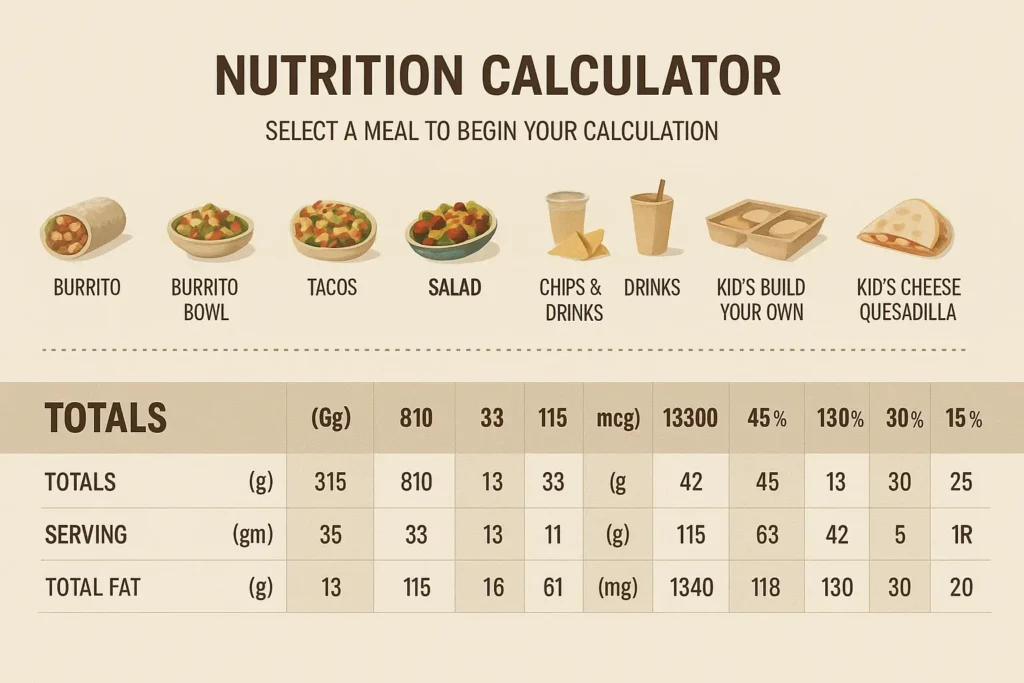
How Does the Chipotle Calorie Calculator Work?
The calculator functions by letting you build your meal step by step using Chipotle’s menu items. Each ingredient is backed by official nutrition facts from Chipotle’s food database.
Step-by-Step Breakdown:
- Select your meal type: Burrito, bowl, tacos, or salad
- Choose a base: White rice, brown rice, or no rice
- Pick a protein: Chicken, steak, barbacoa, carnitas, sofritas, or plant-based options
- Add beans: Black beans, pinto beans, or skip
- Include toppings & salsas: Tomato salsa, chili salsa, cheese, sour cream, guacamole, lettuce
- View nutrition results: Instantly see calories, carbs, fat, protein, fiber, and sodium
This Chipotle bowl calories calculator removes the guesswork and gives you a real-time nutrition snapshot
Why You Should Use the Chipotle Calorie Calculator?
1. Stay Aligned With Your Health Goals
If you’re following a weight-loss plan, fitness program, or macro-based diet, the Chipotle calorie calculator helps you stay on track. Small swaps—like skipping sour cream or choosing brown rice—can save hundreds of calories.
2. Customize Without Overdoing It
Chipotle’s customization is great—but it can easily lead to calorie overload. A Chipotle calculator lets you experiment with ingredient combinations before ordering, so flavor and nutrition stay balanced.
3. Compare Ingredients in Real Time
Not sure whether to choose chicken or carnitas? The Chipotle Nutrition Calculator allows side-by-side calorie and macro comparisons, helping you make informed decisions instantly.
4. Plan Ahead for Smarter Eating
Planning your order in advance with a Chipotle calorie calculator bowl saves time and prevents impulse choices—especially if you order online or on the go.
5. Works for All Diet Types
Vegan, keto, gluten-free, or high-protein? The calculator helps you identify ingredients that fit your dietary preferences while keeping calories and macros in check.
Average Calorie Estimates for Popular Chipotle Meals
| Meal Type | Average Calories | Example Ingredients |
|---|---|---|
| Chipotle Chicken Bowl | 600–750 | Brown rice, chicken, black beans, tomato salsa, lettuce |
| Steak Burrito | 850–1,000 | Flour tortilla, steak, white rice, sour cream, cheese |
| Veggie Bowl | 500–650 | Brown rice, fajita veggies, black beans, corn salsa |
| Barbacoa Tacos | 650–800 | Corn tortillas, barbacoa, salsa verde, guacamole |
| Salad Bowl with Guac | 550–700 | Romaine lettuce, sofritas, beans, pico de gallo, guac |
Note: Calories vary based on portion sizes and toppings.
Advantages of Using a Chipotle Nutrition Calculator
✔ Accurate Nutrition Transparency
Unlike generic calorie apps, a Chipotle nutrition calculator uses menu-specific nutrition facts—including sodium, fiber, and allergen data.
✔ Better Portion Awareness
Seeing how toppings like guacamole or cheese impact total calories encourages smarter portion control.
✔ Supports Weight Management
Whether you’re cutting, maintaining, or bulking, knowing exact calorie and macro values helps regulate energy intake.
✔ Saves Time
Instead of scanning nutrition charts, the calculator delivers instant results tailored to your customized meal.
✔ Encourages Conscious Eating
Over time, you develop a better understanding of ingredients, portion sizes, and nutritional balance.
Tips for Making a Healthier Chipotle Meal
- Choose lean proteins like chicken, sofritas, or barbacoa
- Opt for brown rice or skip rice to reduce calories
- Add fajita veggies and lettuce for volume with minimal calories
- Limit high-calorie extras like cheese, sour cream, and guacamole
- Pick fresh tomato salsa instead of creamy options
Paired with the Chipotle calorie calculator, these tips make healthy ordering simple and sustainable.
About Chipotle’s Nutrition Data
Chipotle is known for ingredient transparency. Each menu item includes detailed nutrition facts such as:
- Calories
- Protein, carbs, and fat
- Sodium and fiber
- Allergen information
The Chipotle Nutrition Calculator compiles this data using standard portion sizes, helping ensure your results closely match what you receive in-store.
For fitness-focused users, this makes macro planning easy:
- Protein for muscle repair
- Carbohydrates for energy
- Fats for satiety and hormone balance
FAQs About Chipotle Calorie Calculator
Summary
The Chipotle Calorie Calculator is more than a nutrition tool—it’s a smart companion for mindful eating. Whether you’re tracking macros, managing weight, or simply curious about what’s in your meal, it helps you balance flavor with nutrition effortlessly.
By using a Chipotle Calculator or Chipotle Nutrition Calculator, you can enjoy the meals you love while staying aligned with your health goals—no guessing required.